Should You Exclude Your Site From Google AI Overviews? Read This First
Google lets any site exclude itself from AI Overviews and AI Mode. Early opt-out tests show what you lose, what you keep, and when excluding makes sense.
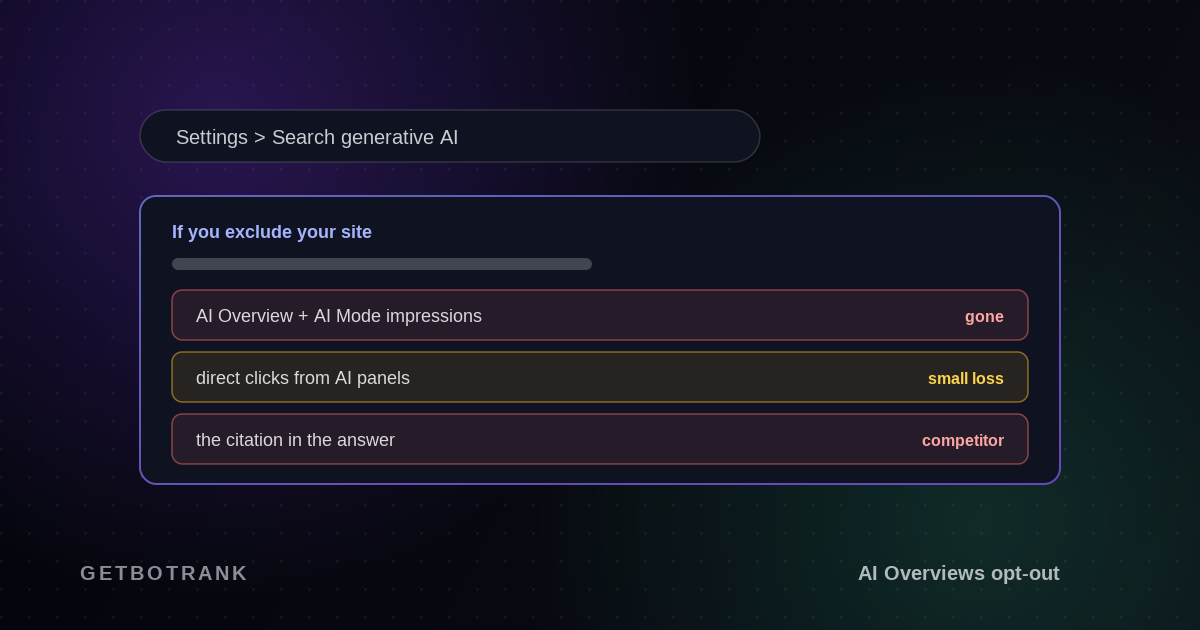
Yes, you can exclude your site from Google AI Overviews and AI Mode with one Search Console setting, but for most brands it is the wrong first move. The early opt-out tests show you give up a large share of impressions for an unclear gain in clicks, and in at least one case regular organic clicks fell too. Excluding makes sense for a narrow set of sites; everyone else gets more from fixing how AI features describe them.
The question came back this week after a widely shared report of a site that left AI Overviews and AI Mode and saw its clicks barely change. Here is what that test, and the others like it, actually show.
What the Search Console control does
Google started testing the control on June 3, 2026 and, per its announcement on the Google blog, rolled it out to all websites worldwide as of August 31, 2026. According to Google's Search generative AI control help page:
- Where it lives: Search Console, under Settings, then Search generative AI.
- What it covers: AI Overviews, AI Mode and generative AI features in Google Discover.
- The options: include your site's links and content (the default), exclude them, or inherit the setting from a parent property.
- What excluding means: your links and content stop appearing in those features, and content crawled from your site is no longer eligible as input for AI responses. You get no traffic or impressions from those features.
- What it does not touch: rankings elsewhere in Search, Merchant Center or Google Ads choices, and AI training, which is still governed by Google-Extended.
- Timing: changes generally take a few days, though caching can delay them.
That last distinction trips people up. Opting out of AI Overviews is not the same as opting out of AI training, and neither is the new shared robots.txt training token. We broke down that separate signal in our post on the one robots.txt line for AI training opt-out.
What the opt-out tests found
Two public cases are worth knowing, both small and both one site each.
The "clicks barely moved" report. As PPC Land reported on November 22, SEO consultant Brodie Clark said on LinkedIn that an unnamed site used the control and lost hundreds of thousands of daily impressions while the click change was barely noticeable. He shared no click figures, switch date or traffic chart, so it is an anecdote, not a dataset.
The Cyrus Shepard test. In late October, Search Engine Roundtable covered a before-and-after test by Cyrus Shepard on one site. AI impressions went to zero during the opt-out and had made up about 8% of total impressions. He estimated the CTR on those AI impressions at around 0.9%. The part that matters: regular organic clicks also dropped while the site was opted out, and some URLs with high AI visibility lost position before recovering.
Put together, these cases point the same way. AI Overview impressions rarely turn into clicks directly, so leaving costs few direct clicks. But visibility in those panels may still be doing work you cannot see in click data, such as brand exposure that leads to a later search or visit.
The wider click picture
The direct click value of AI features does look low. A preregistered field experiment by researchers at the University of Pennsylvania and Northeastern University, summarized by PPC Land, moved 1,100 US Google users to AI Mode and found clicks to outside websites fell by 18.8 percentage points. It is an unreviewed preprint with a skewed sample, but it fits what publishers report.
Here is the catch: excluding your site does not bring those clicks back. AI Overviews still show for the query. They just cite someone else. The user who would have read your brand's name in the panel now reads a competitor's.
Why you cannot measure this properly yet
Google's generative AI performance report shows impressions by page, country, device and date, with no click data and no query data, as Search Engine Roundtable noted at launch. So you can see how often you appear, but not what that appearance is worth.
That may change. PPC Land reports that the UK CMA's publisher conduct requirement calls for impressions, click-throughs and CTR, with obligations taking effect on December 3, 2026. Until better data exists, any opt-out is a decision made half blind. It is the same gap we described in the GEO analytics problem.
When excluding actually makes sense
There are legitimate reasons to opt out:
- Your content is the product. Publishers and paid research sites whose value is the content itself may decide summaries cost them more than exposure earns.
- Licensing or legal reasons. If your agreements restrict how content can be reused, the control is a clean way to comply.
- Persistent inaccuracy you cannot fix. If AI features repeatedly misstate safety, pricing or regulated information despite corrections, removing the input can be the safer call.
- A deliberate, measured test. Running an opt-out on a child property or a defined section, with a clear before-and-after window, is reasonable.
If you are a brand that wants to be recommended, none of these usually apply. For you, leaving AI Overviews mostly hands the citation to a competitor.
What to do instead
- Check what AI features say about you first. Search your key buyer questions in AI Mode and note whether you are cited, how you are described, and who appears instead.
- Fix the input, not the output. AI Overviews draw on crawled pages. Make sure your important pages are crawlable, render without JavaScript, and answer the question directly near the top. The free AI crawler view tool shows what a crawler sees on a given URL.
- Separate your controls. Decide training (Google-Extended or the training token), AI features (the Search Console control) and indexing (noindex) as three separate decisions.
- If you test an opt-out, test narrowly. Pick one section, record impressions, clicks and branded search volume for a few weeks before, then compare. Watch organic clicks, not just AI impressions.
- Track visibility beyond Google. ChatGPT, Claude and Gemini answer the same buyer questions, and an opt-out in Search Console does nothing there.
Where GetBotRank fits
The opt-out debate is really a measurement problem: you cannot judge what AI visibility is worth without seeing where you appear and how you are described. GetBotRank's Visibility Tracker runs buyer-intent questions across ChatGPT, Claude and Gemini on a schedule and tracks how often your brand is mentioned, and the page audits diagnose crawler and content issues so you can fix them and verify the result. If you want a quick baseline before deciding anything, the free AI visibility audit needs no signup.
The bottom line
Google's control gives every site a real choice, and early tests suggest AI Overview impressions are worth few direct clicks. But leaving does not return the click; it reassigns the mention. Unless your content is the product or you have a specific legal reason, improve how AI features describe you before you remove yourself from them.
Frequently asked questions
How do I exclude my site from Google AI Overviews and AI Mode?
In Search Console, open Settings, then Search generative AI, and choose the option to exclude your site's links and content. Google's help page says it covers AI Overviews, AI Mode and generative AI features in Discover, and that changes generally take a few days to apply. Google rolled the control out to all websites worldwide as of August 31, 2026.
Does excluding my site from AI Overviews hurt my regular Google rankings?
Google says the control is not used as a ranking or inclusion signal elsewhere in Search. However, one published single-site test by Cyrus Shepard found that regular organic clicks also dropped while the site was opted out, so the indirect effects are not settled. Treat any opt-out as an experiment and measure it.
Is the Search Console AI control the same as blocking Google-Extended?
No. Google-Extended in robots.txt governs whether Google can use your content for AI training and Gemini grounding. The Search Console control governs whether your links and content appear in AI Overviews, AI Mode and Discover AI features. Changing one does not change the other.
Can I see clicks from AI Overviews in Search Console?
Not yet. Google's generative AI performance report shows impressions by page, country, device and date, but no clicks and no queries. That gap is why most opt-out decisions today are made with incomplete data.